
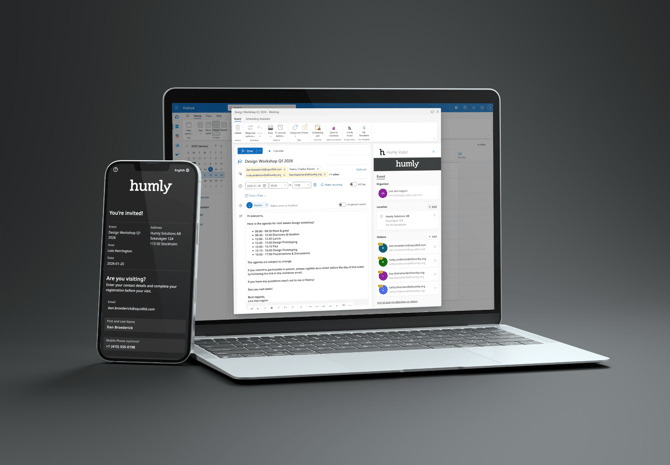
Looking for a decentralized way of inviting and managing visitors for your meetings and events?
If you have Humly Control Panel set up with M365 and with resources*, and have a Humly Visitor Professional license, you can now allow users in your organization to invite and manage visitors directly when creating a meeting or event in Outlook.
Invite visitors
From your Outlook calendar on the web or in the desktop client, you can invite visitors to a meeting or event that takes place in a meeting room. From the list of attendees in the Outlook form, select who should also be invited to attend in person by adding them as visitors in the Outlook add-in.
To make this easier, we have introduced a quick-select feature that automatically adds all attendees detected as external by Outlook. You can still invite any other attendee, even if they are not external, in cases where they still need to register and check in when visiting.
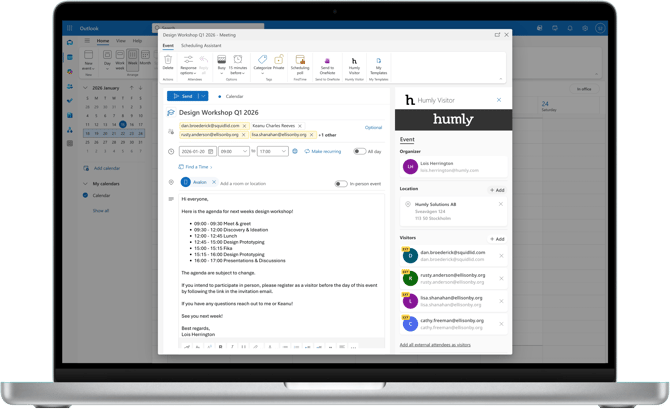
When the event is created, the selected visitors will receive an invitation email with information about the event and instructions on where they can register before visiting.
Self-registration
By following the link in the invitation email, invited visitors can register themselves by providing their contact details and giving consent to any required disclosures or disclaimers. Once the registration is confirmed, they will receive a confirmation email with details of the event, such as the event name, date, host, and the contact details they provided.

Address and map links
With Humly Visitor Professional, it is now possible to provide an address for each visitor screen, which will be used as the selectable location in the Outlook add-in. You can also add Google Maps and Apple Maps links, which will be included in the registration confirmation and welcome emails to help visitors plan their arrival and know where to check in.

Flexibility
The Outlook add-in introduces an additional way of registering visitors, adding greater flexibility to the Humly Visitor solution. Not only receptionists and visitor or hospitality managers can register visitors, but the host of a meeting or event taking place in a meeting room can now also invite visitors directly from Outlook.
If an invited visitor forgets to register in advance, they can still check in the usual way by entering their contact details and selecting the host on the visitor screen upon arrival.

*= To be able to synchronize changes to an event in Outlook that has invited visitors, the same resource selected in Outlook (for example, a meeting room) must also be added to the Humly Control Panel. Otherwise, synchronization will not work, and any changes to the event that affect visitors will not be forwarded to them.
Requirements
- Humly Control Panel
A Humly Cloud account or an on-premise deployment running Humly Control Panel v2.2 or later. - Microsoft 365 with Single Sign-on (SSO)
Humly Control Panel configured with M365 as backend with SSO. - Humly Visitor Professional license
One license per visitor screen. - Humly Resource License
One license per resource in Humly Control Panel. For visitor synchronization to work, the same resources must exist in Outlook. - Outlook
The add-in is compatible with Outlook (Web desktop) and Outlook client with Modern UI enabled. Outlook client with Classic UI is currently, as of Humly Control Panel 2.2, not supported. We're investigating if we can make it work with Classic UI client.
Related articles
The following articles guide you step by step through configuring and using the Outlook add-in for Humly Visitor:
Step 1 - Configure the Outlook Add-in in Microsoft Entra
Step 2 - Configure the Outlook add-in in Humly Control Panel
Step 3A - Deploy the Outlook add-in (Local)